Tutorial 3 of 6
Sound level meter, dB log, tone generator and spectrum
Intermediate 8 min
Measure A- and C-weighted sound levels, keep a dB log, calibrate against a meter, play test tones and read the spectrum.
Pocketlab has two sound instruments: the Sound level meter with a dB log and Tone & spectrum, a tone generator with a live spectrum analyser.
The microphone starts only when you press Start microphone or Start spectrum, and stops on Stop, when you switch instrument and when the tab is hidden. Audio is analysed in this tab and never uploaded.
Measure a sound level
- Choose Sound level and press Start microphone. Allow the microphone when the browser asks.
- Hold the phone still, microphone towards the sound.
- The big number is LAF — the A-weighted level with Fast time weighting, the classic sound level meter reading.
Below it you see LAeq (the average energy level), LCeq (C-weighted, more bass), LAFmax and LASmax (loudest Fast and Slow levels), LCpeak and the statistical levels LA10 / LA50 / LA90 — the level exceeded 10, 50 and 90 % of the time. The chart shows the level over time.
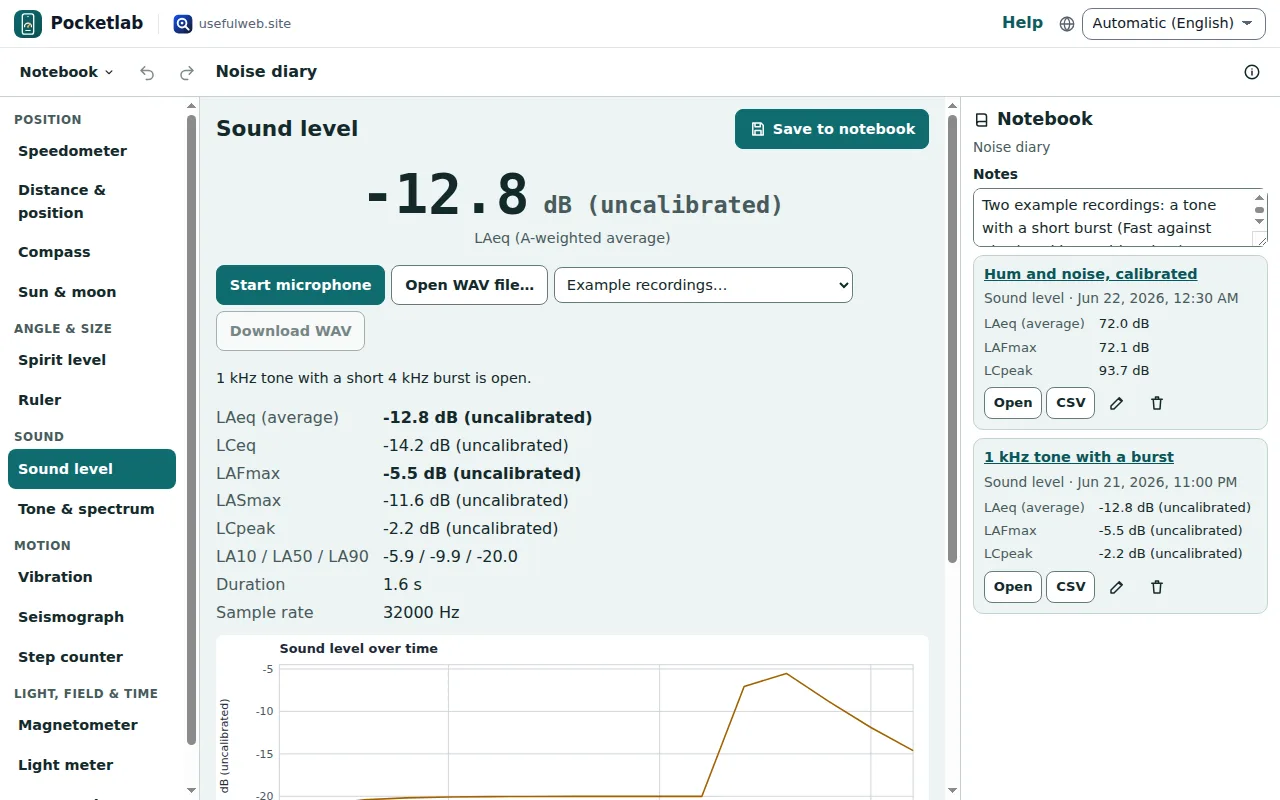
Without the microphone you can try Example recordings… or Open WAV file…. The engine is the ohmforge-sound-level tool: Download WAV (first 60 seconds) and the tool give the same numbers.
Calibrate the levels
A phone microphone gives relative levels: 0 dB means a full-scale sine. To read real decibels, measure the same steady sound with a sound level meter you trust, type its reading under Reference meter reads (dB) and press Set offset from reference. The offset stays on this device.
This is not a calibrated or certified meter. Use it to compare — your fridge before and after, the noise at two times of day — not to prove a legal limit.
Keep a dB log
Press Stop, then Save to notebook. The log keeps the summary and the level-over-time table (ten values a second), not the audio. In the notebook you can download it as CSV for a spreadsheet, or compare several logs from the same place.
Tone generator
Under Tone generator set a frequency from 20 Hz to 20 kHz (type it or use the logarithmic slider), choose Sine, Square, Triangle or Sawtooth and press Play tone. Start low on the volume: square waves and high tones are loud. Phone speakers cannot play deep bass, so a 40 Hz tone may be silent.
Spectrum analyser
Press Start spectrum. The big number is the strongest frequency the microphone hears, with the nearest musical note and how many cents it is off. The table lists the four strongest peaks; the chart shows the spectrum up to 8 kHz.
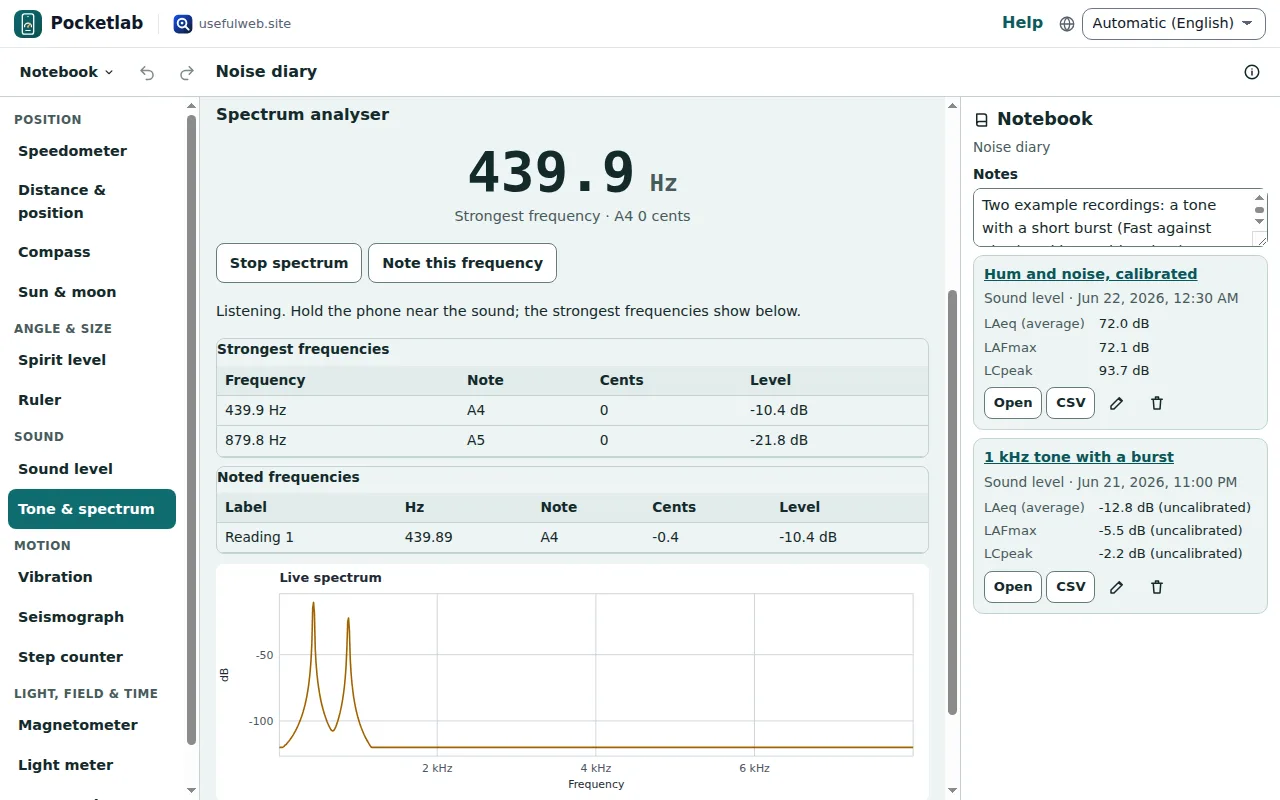
Note this frequency collects readings for the notebook — the hum of a fridge, a whistling pipe, a tuning fork. To tune a guitar or a violin, Tonegrid has a full tuner and the tuning reference.
Ready to try it?